


All Deleted Messages Recovery
4.2169.00 Reviews
App Specs
- Version
- 2.1.7
- Updated On
- License
- Free
- Downloads
- 10,000,000+
- Developer
- Battery Stats Saver
- Categories
- Communication
- Platform
- Android, iOS
Screenshots
 Analysis by AppCompare
Recovering a deleted message sounds simple, but the useful question is whether a recovery app can capture it before it disappears from view. In my experience, All Deleted Messages Recovery is best understood as a notification-based record of incoming messages, not a time machine for every conversation you have ever deleted. That distinction matters: it can be handy when a message vanishes after arriving, but it is not a dependable substitute for a proper chat backup.
What this app can realistically help with
The practical appeal is easy to see. A sender removes a message before you have read it, or you clear a notification and later realize it contained something important. If the app has already captured the notification, you may be able to check its saved copy. That makes it potentially useful for a delivery detail, a meeting time, or a photo someone shared in a chat.
The key trade-off is that notification-based recovery depends on the message reaching your phone in a form the app can record. A message that never generated a notification, or content that was not visible in the notification, may not be recoverable through this route. I would treat it as a useful extra layer, not a guarantee that every deleted item can be restored.
That framing is especially helpful when deciding whether to install it. If you want a searchable archive of all past chats, the backup tools built into your messaging service are usually the better starting point. If your concern is specifically the occasional incoming message that disappears, a recovery app can fill a different and narrower role.
Getting Started with All Deleted Messages Recovery
First things first, let's talk about getting this app up and running. Downloading and installing All Deleted Messages Recovery is a breeze. It's available on both Android and iOS, so no matter your device preference, you're covered. Once it's installed, the app takes you through a simple setup process. Trust me, even if you're not tech-savvy, you’ll find it pretty straightforward.
Once you open the app, you'll notice that it has a clean and user-friendly interface. This is a big win in my book because, let's face it, nobody wants to navigate through a cluttered screen when they're in panic mode over a missing message.
How Does It Work?
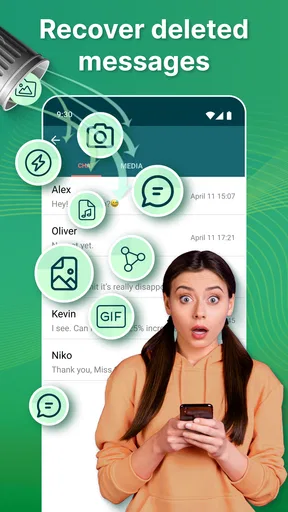
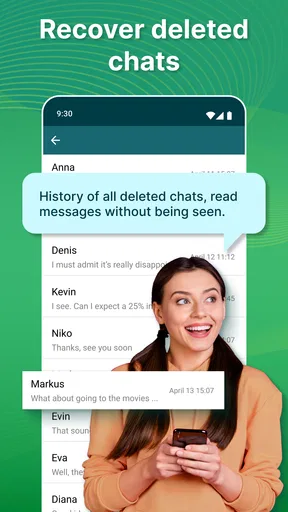
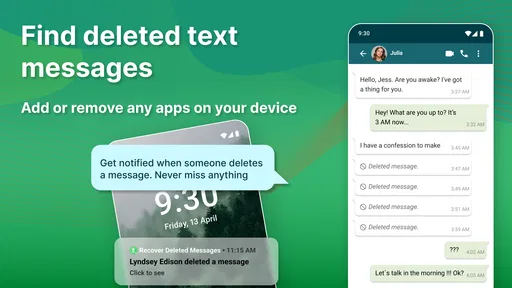
So, how does this magical app actually work? Essentially, it taps into your phone's notification system. It keeps a log of all incoming messages. If you happen to delete a message before you’ve had a chance to save it, the app has already backed it up. It’s like having a little assistant that’s always on standby, ensuring nothing slips through the cracks.
Worth Reading Before You Choose

Flipboard Shows What News Apps Must Do Beyond the Feed

Switching to Android Auto Means Rethinking Your Driving Routine

Google Calendar Makes a Crowded Week Easier to Manage

Ludo King Makes the Most of the Minutes Between Plans

Baby Panda World Brings Quick Play to Modern Phones, but Its Game Library Feels Busy

ESPN’s Live Game View Makes Following Close Games Easier
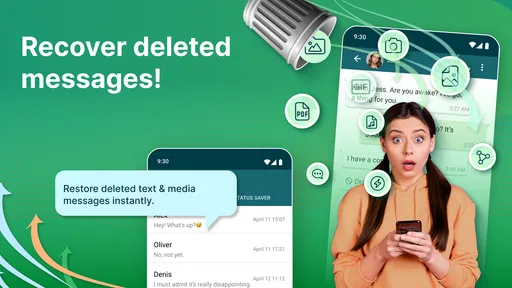
You can recover messages from several platforms including WhatsApp, Facebook Messenger, and even some SMS apps. The recovery process is as simple as a few taps. You select the messages you want to retrieve, and voila, they're back where they belong.
How to get better results from notification capture
The most useful habit is to set expectations before you need the app. Once it is configured, send a test message from a trusted contact, check that a notification appears, and then confirm whether the app records the text. This small check can reveal whether your normal notification settings are compatible with the way you use that messaging service. It is more reliable than waiting until a time-sensitive message has already gone missing.
Notification previews are another practical consideration. If your phone hides message contents on the lock screen, the recovery log may have less text to work with. I would review the privacy settings for each chat app and choose a level of preview that suits your comfort. You do not need to expose messages publicly; the point is to understand that privacy-first notification settings can also limit what a notification-based tool can capture.
There is a similar trade-off with muted or restricted conversations. If a chat does not produce a visible notification, there may be nothing for a recovery app to log. Before relying on it for a particular contact, check how that conversation is configured. For important work details, I would still save the information directly or ask the sender to resend it rather than assume the app will have a copy.
Features That Stand Out
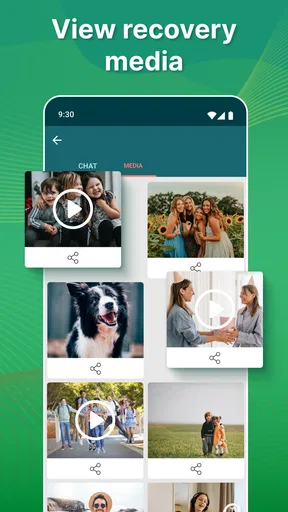
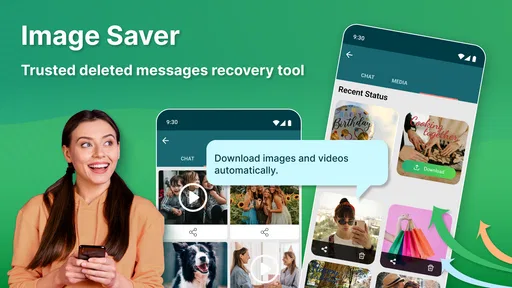
Let's dive into some of the features that make this app stand out. One of my personal favorites is the ability to not only recover text messages but also images and videos. I can't tell you how many times I've accidentally deleted a photo only to frantically search for it later. This feature alone is a lifesaver.
Another handy feature is the app's ability to recover messages even if they're deleted by the sender. Yes, you heard that right! If someone decides to unsend a message, you can still access it. It’s like having a secret window into your chat history.
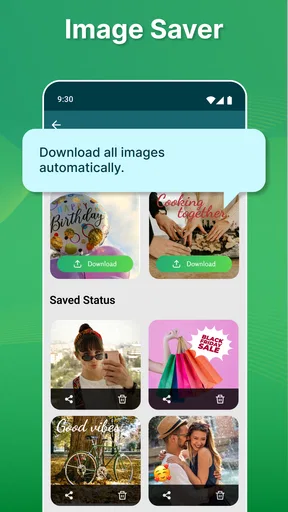
The app also offers a secure locker for your recovered messages. This means you can keep everything in a private, password-protected space. So, no worries about prying eyes stumbling upon your conversations.
Everyday situations where the trade-off makes sense
Picture a busy afternoon: a friend sends an address while you are walking between errands, then removes the message before you can open the chat. If the notification reached your phone and the app had an opportunity to record it, checking the saved entry may be quicker than asking the friend to send the details again. That is a realistic convenience, especially for short pieces of information that are easy to lose in a stream of notifications.
For media, I would be more cautious. A notification may tell you that an image arrived without preserving the full image itself, depending on what the messaging app exposes in its notification. So I would not use this as my only way to protect a sentimental photo or an important document. Save valuable attachments to a location you control, or keep the original chat backed up where possible.
The same principle applies to work conversations. It can be reassuring to have a record of a brief update that was later unsent, but sensitive business information should follow your workplace’s rules for storage and access. A private locker may help organize recovered items, yet storing a message in a second place also means you should think about who can access that device and how long you want the record to remain there.
Where it sits beside ordinary alternatives
Compared with a messaging app’s own backup, notification recovery is more immediate but narrower. A backup is designed to help restore chat history after changing phones or reinstalling an app; it is generally the more sensible choice when you need a broader archive. This recovery tool is aimed at the smaller, more awkward moment when an incoming notification is the only trace you may have of a message that was removed.
Compared with simply asking the sender to resend something, the app can save an extra step when the message was captured and the sender is unavailable. But asking again is often the cleaner option if the content is incomplete, unclear, or important enough that you need the sender’s confirmation. I would not treat a recovered notification as proof of the full context of a conversation.
Its role in the communication category is therefore quite specific. It is not a replacement for WhatsApp, Messenger, SMS, or their backup systems; it sits alongside them as a possible safety net for notifications. That narrow focus is a strength for someone with a particular problem, and a reason to skip it if what they really want is comprehensive chat management.
Performance and Usability
When it comes to performance, All Deleted Messages Recovery does not disappoint. It runs smoothly in the background without consuming a noticeable amount of battery life or slowing down your device. This is crucial because the last thing you need is an app that hogs your phone's resources.
Usability-wise, it's designed with the user in mind. The navigation is intuitive, and the app provides clear instructions for each step of the recovery process. Even if you’re dealing with tech anxiety, you’ll find this app reassuringly simple to use.
There is still a setup decision behind that simplicity: the app needs to be able to observe notifications if it is to keep a record of them. I recommend being deliberate about what you allow it to capture, especially if message previews regularly contain personal or work-related details. The benefit is easier access to certain deleted messages; the cost is maintaining another place where snippets of conversations may be stored.
Anyone considering the app should also separate message recovery from file recovery in their expectations. A text visible in a notification is not necessarily the same thing as a complete conversation, and an image or video may not be available in full just because a message alert was logged. After installation, testing with non-sensitive messages is a sensible way to learn what it can actually preserve in your everyday setup.
Who I would recommend it to
I can see this being a good fit for someone who often misses incoming messages, has contacts who use unsend features, or wants a convenient record of notification text. It is also approachable for people who do not want to manage a complicated archive and mainly need a quick way to check whether a recent message was captured.
I would skip it if you expect it to reconstruct old conversations, recover messages from before installation, or guarantee complete copies of every photo and video. I would also choose a messaging service’s own backup options first if the main concern is preserving a chat history through a phone change or reinstall. Those needs are broader than notification logging can reliably address.
All Deleted Messages Recovery is a free communication app from Battery Stats Saver, with optional in-app purchases. It is rated for Everyone, and its current version is 2.1.4.1. The app has a 4.2 average from around 50,000 ratings and more than 5 million installs, which gives readers a sense of its established audience without changing the practical point: whether it helps you depends on notifications being available to capture.
Final Thoughts
In a world where digital communication is paramount, losing messages can feel like losing a part of your history. With All Deleted Messages Recovery, you can rest easy knowing your messages are always within reach. Whether you need to recover important work-related texts or sentimental messages, this app has got your back.
Overall, if you're prone to accidental deletions or just want an extra layer of security for your messages, I’d highly recommend giving this app a try. It’s like having a safety net that’s always there to catch your most important conversations.
My recommendation is a little more specific: try it if your problem is recent incoming notifications that disappear and you are comfortable reviewing what the app can capture. Test it with ordinary messages, check that your privacy choices match your needs, and keep separate backups for conversations or media you cannot afford to lose. If you approach it as a useful supplement rather than a promise to restore everything, it can earn a place on your phone; if you need a complete archive, use a dedicated backup instead.
Pros
- Recovers deleted messages quickly.
- User-friendly interface design.
- Supports multiple messaging apps.
- Allows selective recovery options.
- Lightweight and fast performance.
Cons
- Limited free features available.
- May require device permissions.
- In-app ads can be intrusive.
- Not all messages recoverable.
- Occasional app crashes reported.
FAQs for All Deleted Messages Recovery
What types of messages can All Deleted Messages Recovery retrieve?
All Deleted Messages Recovery is designed to retrieve deleted text messages from popular messaging apps such as WhatsApp, Facebook Messenger, and SMS. It can recover both text and multimedia messages, including photos and videos, ensuring that you don’t lose important conversations or shared media.
Is All Deleted Messages Recovery safe to use on my device?
Yes, All Deleted Messages Recovery prioritizes user privacy and data security. The app does not store or share your messages with third parties. It operates locally on your device, ensuring that your personal information remains confidential and secure during the recovery process.
How effective is the app in recovering older deleted messages?
The effectiveness of All Deleted Messages Recovery depends on several factors, including how long ago the messages were deleted and whether new data has overwritten them. Typically, the sooner you attempt recovery after deletion, the higher the likelihood of successfully retrieving your messages.
Does All Deleted Messages Recovery support all Android and iOS devices?
All Deleted Messages Recovery is compatible with a wide range of Android devices running Android 4.4 and above, as well as iOS devices running iOS 10 and later. However, performance may vary depending on the specific device model and operating system version.
Are there any costs associated with using All Deleted Messages Recovery?
All Deleted Messages Recovery offers both free and premium versions. The free version provides basic recovery features, while the premium version unlocks advanced recovery options and additional features such as ad-free usage and priority customer support. Users can choose the option that best fits their needs.


